

Staff profiles
Find staff, review training records and understand Home Staff and Bank Staff access.
Open Staff to find Home Staff and Bank Staff. Your access determines which records you can manage.
Home staff
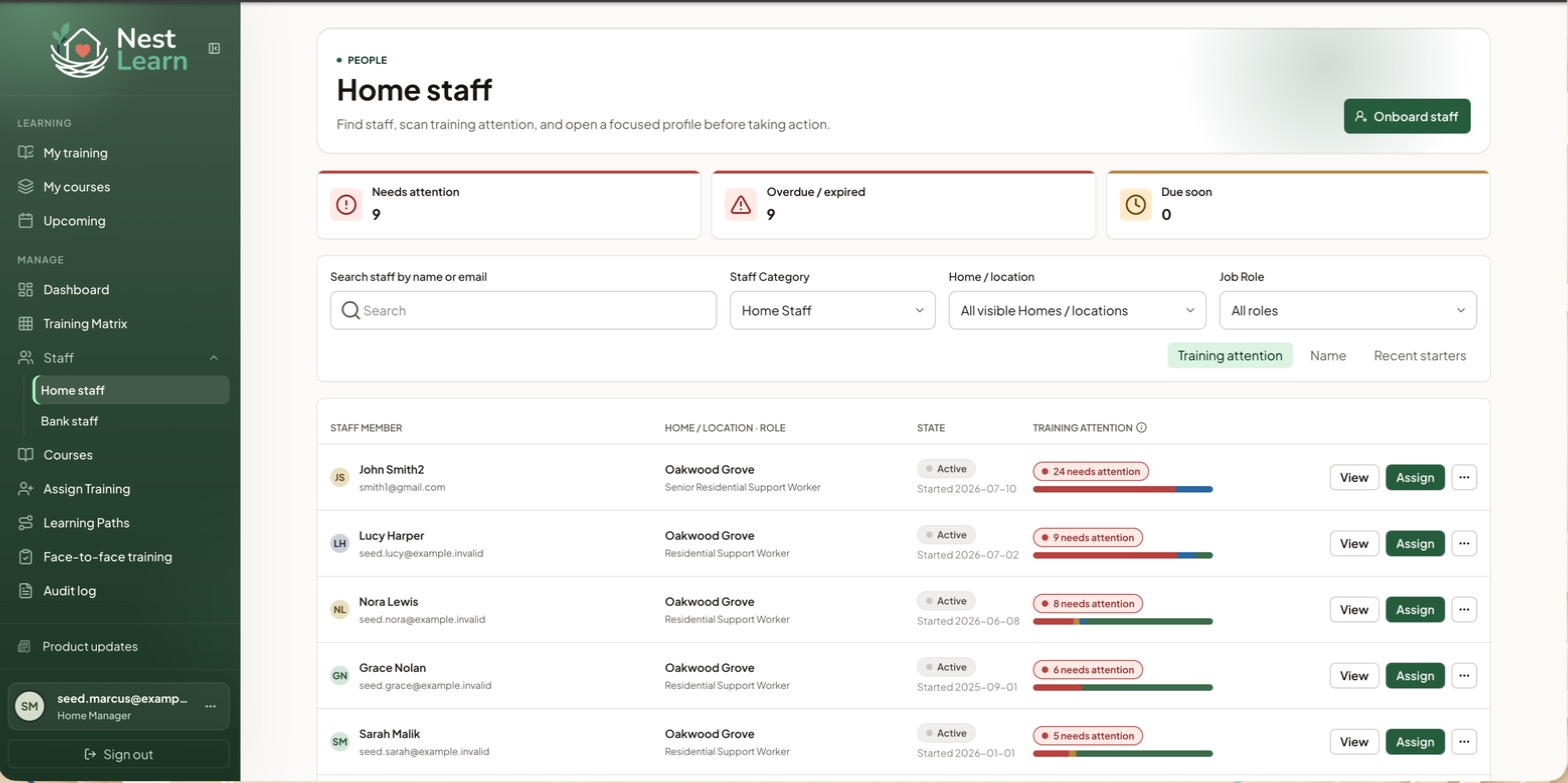
Everyone in the Homes you manage.
Every staff member across the provider, with their Home shown on each row.
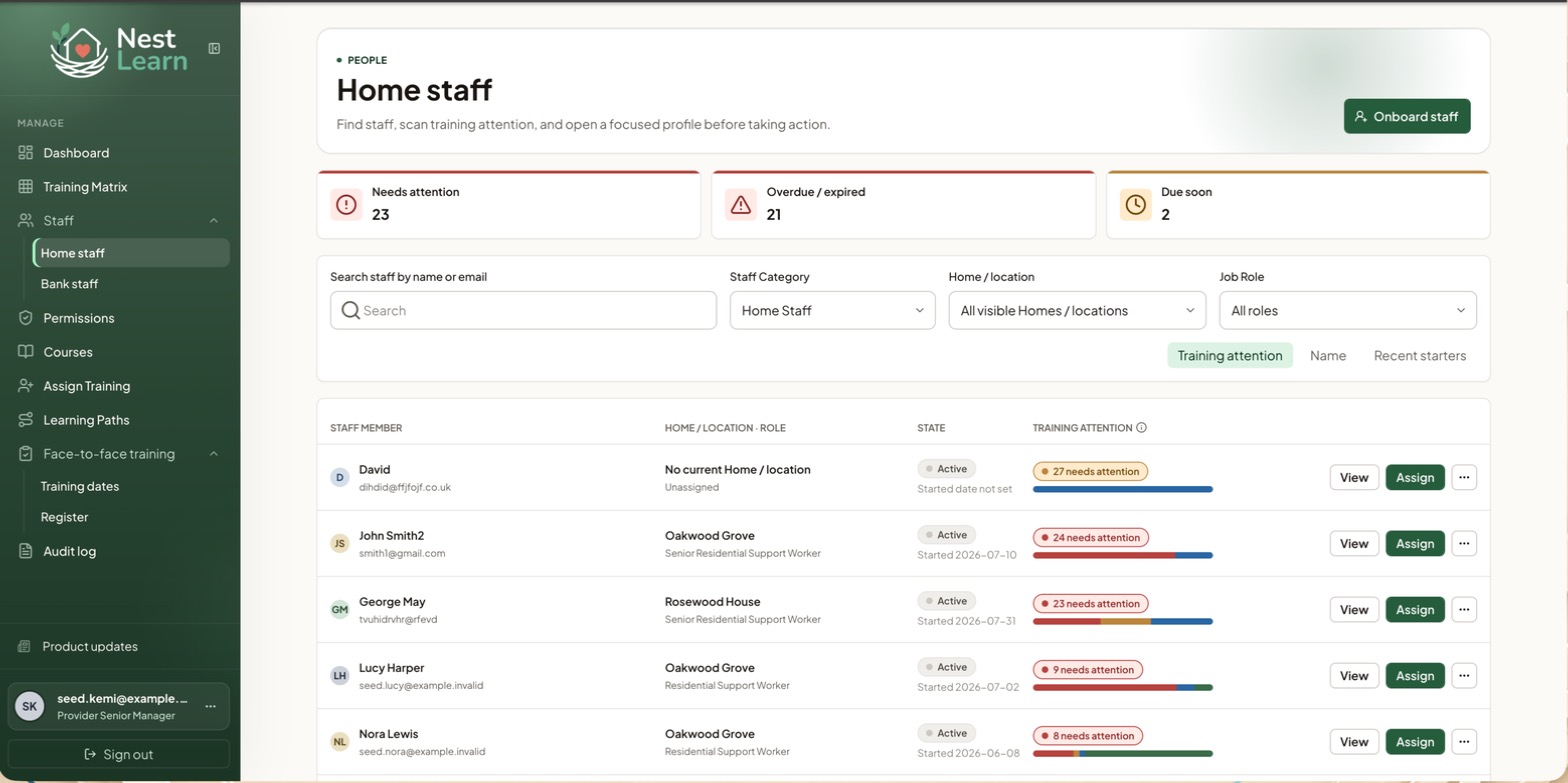
Filter by Home or location to narrow to one, or leave it on all visible Homes to see everyone. Sorting, searching and the row actions work as they do for managers.
The Needs attention, Overdue / expired and Due soon cards sit above a searchable staff list. Filter by staff category, Home or location, and job role, and sort by training attention, name or recent starters.
Each row shows the person's Home and role, whether they're Active, when they started, and a training attention bar. Actions on each row:
- View: open their profile
- Assign: assign training to just them
- ...: further actions
The staff profile
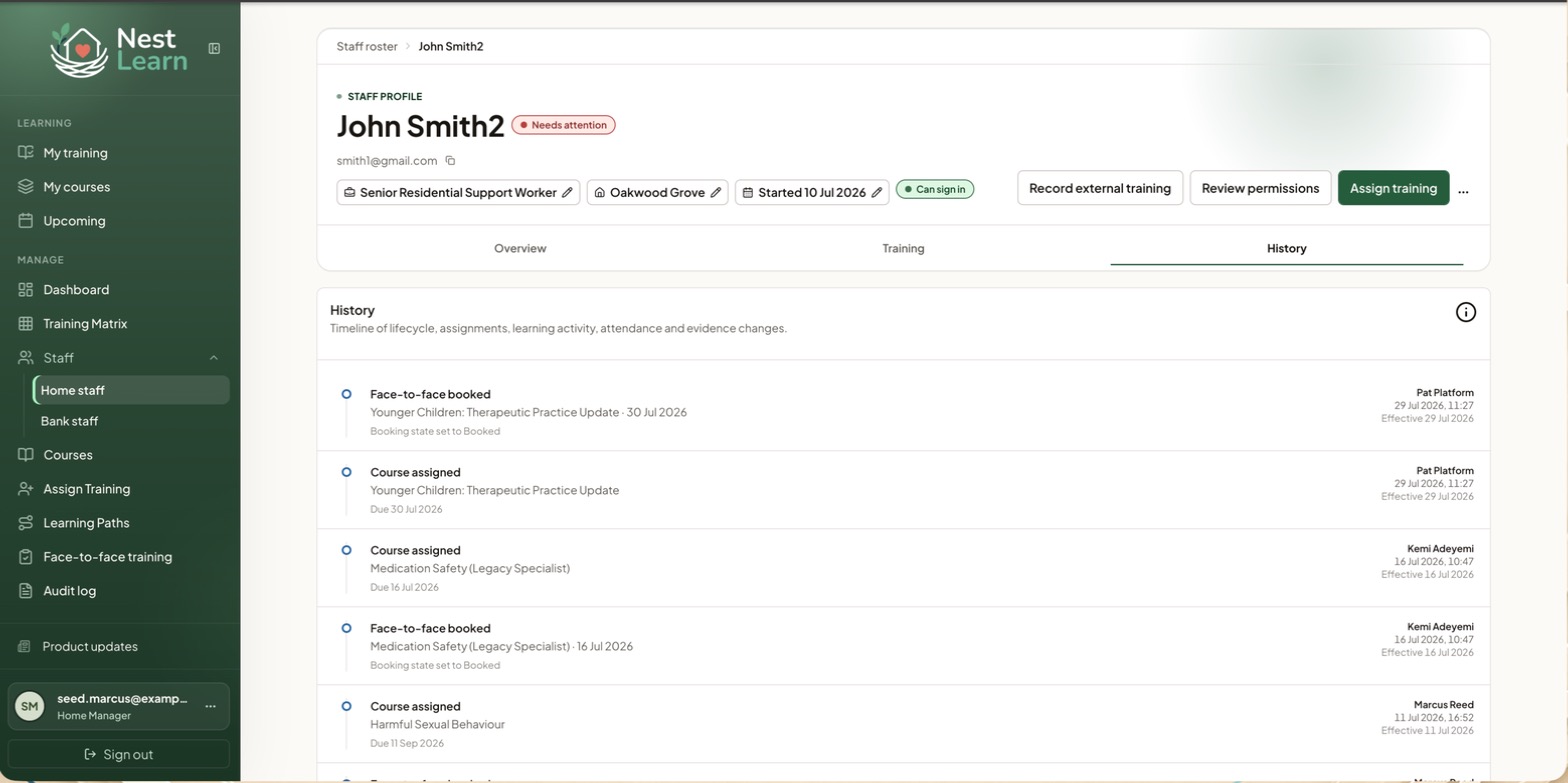
View opens a profile with three tabs.
The profile header shows their job role, Home, start date and sign-in status. Job role, Home and start date have edit controls where your access allows. Sign-in status is an indicator; senior managers manage permissions.
Use Record external training or Assign training for training actions available to you. Permission review is a senior-manager task.
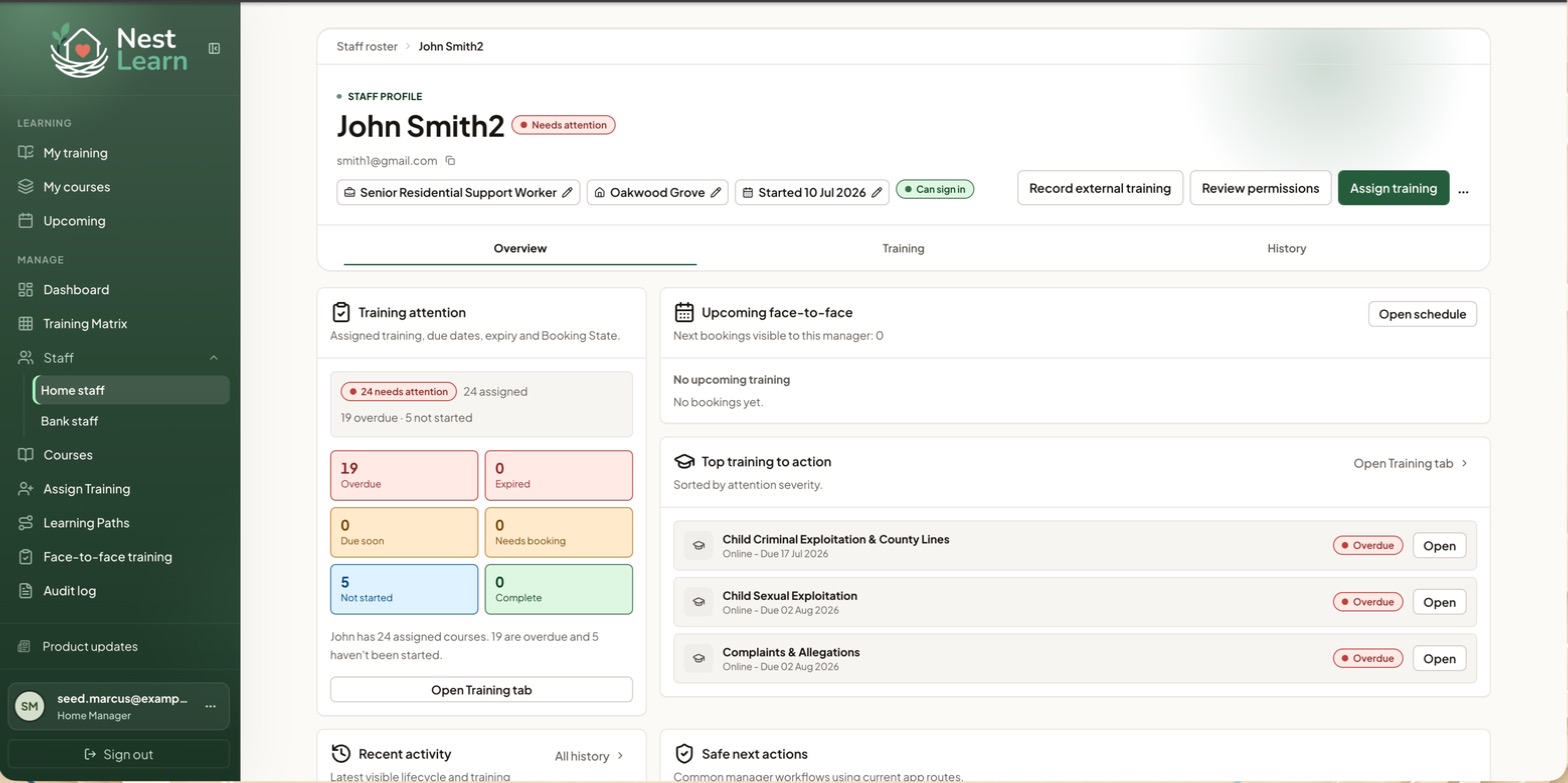
Overview summarises Overdue, Expired, Due soon, Needs booking, Not started and Complete training. It also shows upcoming bookings, courses needing action, recent activity and suggested next steps.
Training is the full record.
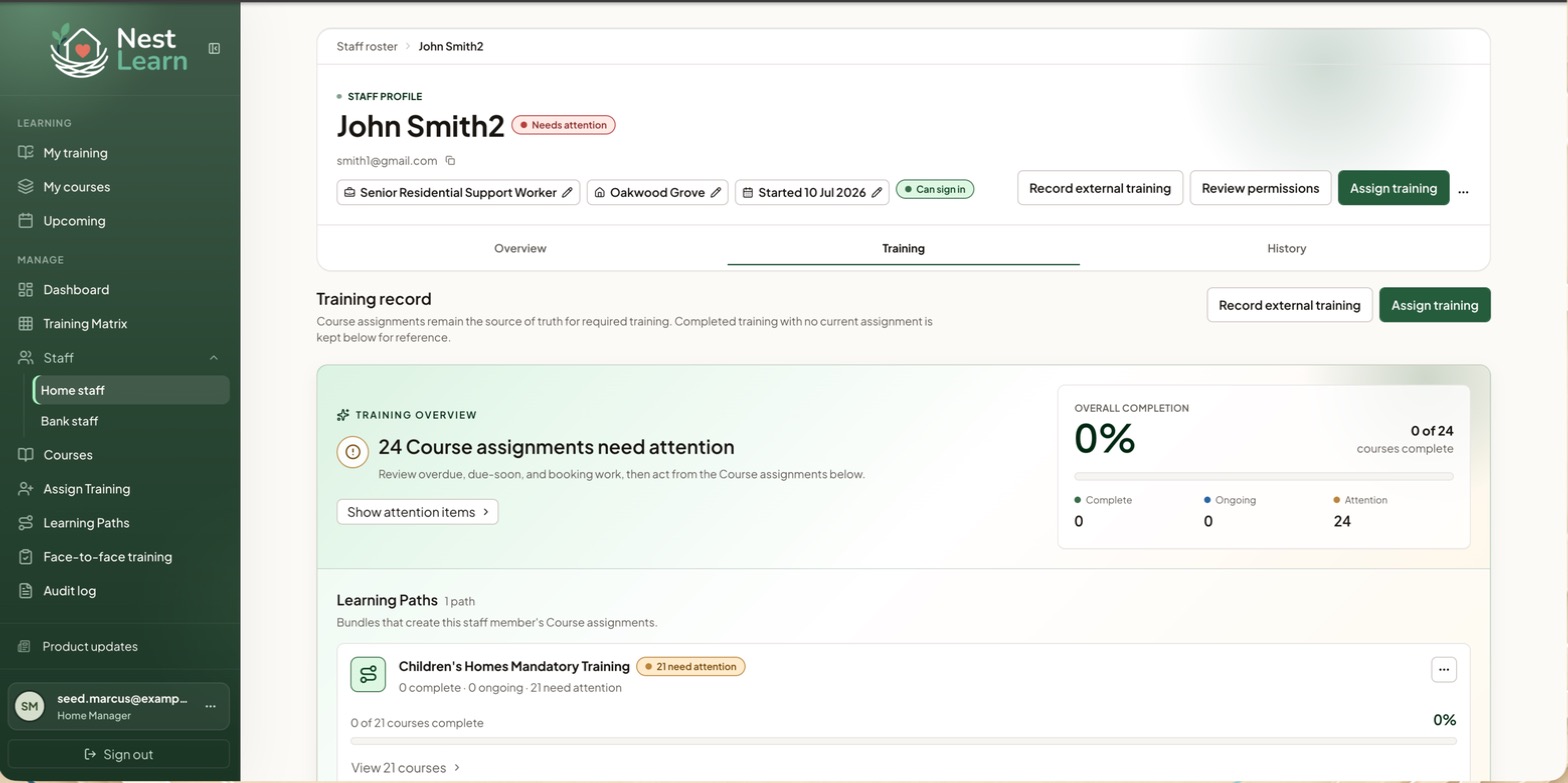
This tab shows overall completion, assignments needing attention and progress through Learning Paths. Current course assignments show required training. Earlier completed training with no current assignment is kept below for reference.
History shows recorded activity such as assignments, bookings, attendance and evidence changes, with who made the change and when. Check it alongside the training record when investigating a query.
Bank staff access
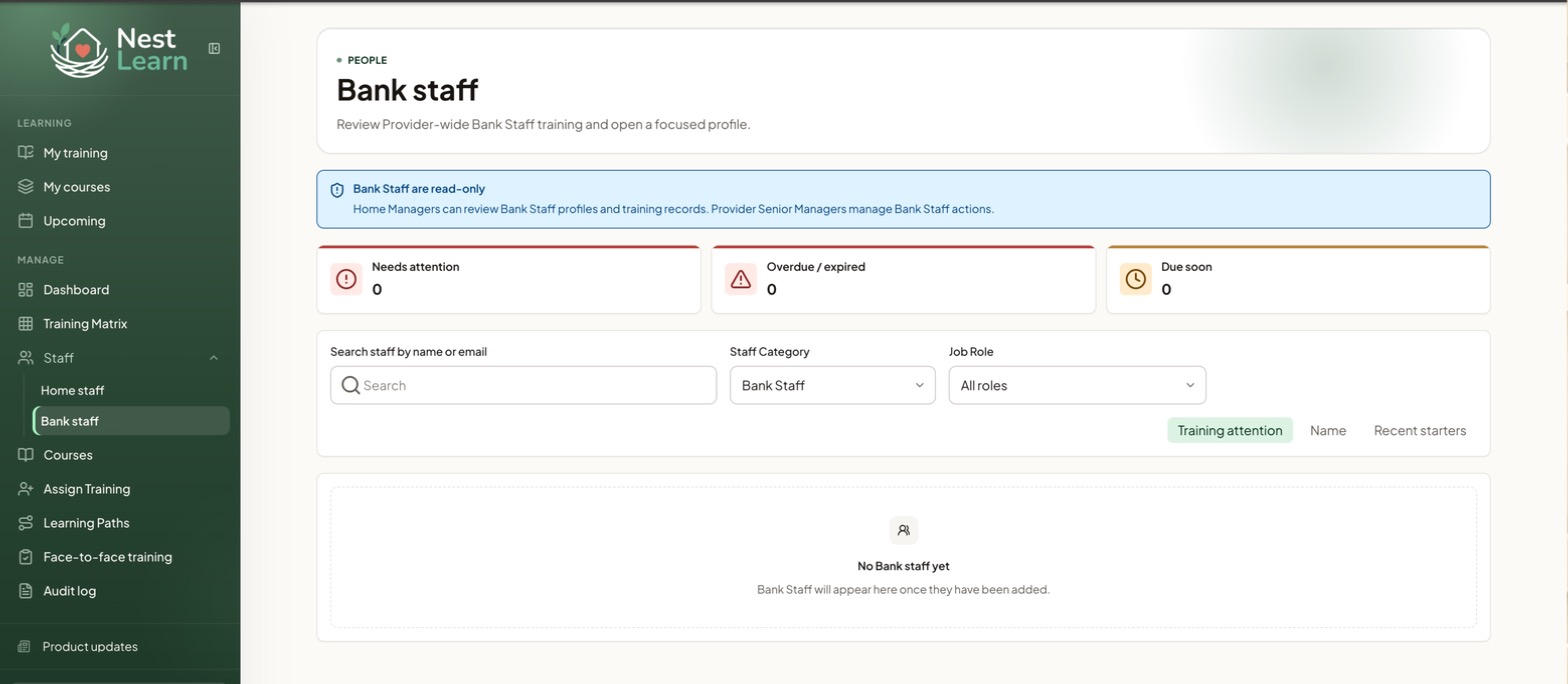
Check your accessBank Staff are managed across the Provider, so their profiles and training records are read-only for Home Managers. Provider Senior Managers handle onboarding, assignments and other Bank Staff changes.
You can still record attendance and add certificates on Bank Sessions you are authorised to manage. Scheduling Bank Staff or mixed Home and Bank sessions is a Provider Senior Manager task.
Bank Staff are yours to manage. Where a Home Manager sees a read-only banner, you get Onboard Bank Staff and full editing.
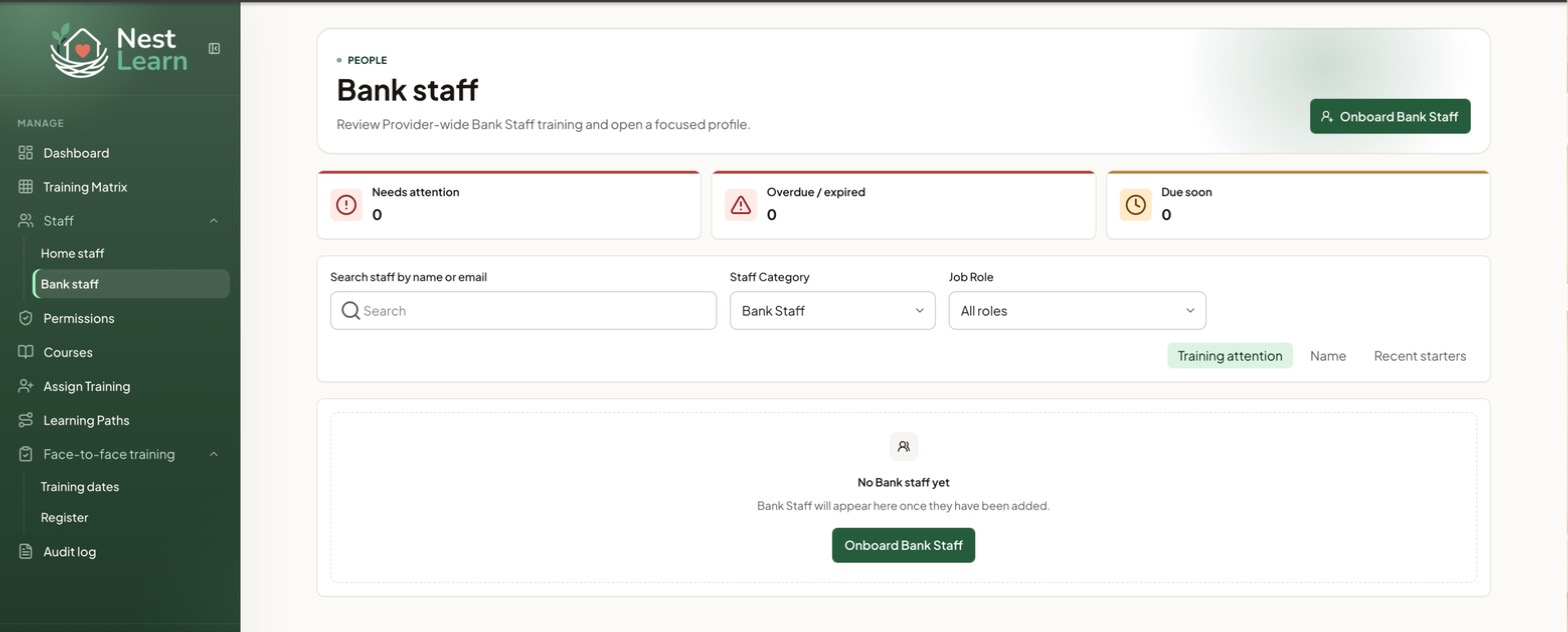
Bank Staff belong to the provider rather than a single Home, which is why the work sits at your level.
Common questions
Why can't I change a Bank Staff record?
Bank Staff profiles are read-only for Home Managers. You can record attendance or add certificates on authorised Bank Sessions; Provider Senior Managers handle other Bank Staff changes.
Related help
Updated about 3 hours ago