

Manager overview
Find help with staff records, assignments, reporting and face-to-face training.
Home Managers look after staff training in the Homes they have access to.
Find a task
Use the Dashboard to find training that needs action. Check staff training in the Matrix.
Find staff profiles and training records.
Add a new staff member.
Find courses and see which ones can be assigned.
Assign a course or Learning Path.
Schedule a training session.
After the session, record attendance and upload certificates.
Look up recorded changes.
What you can and can't do
You can:
- see training status for staff in your assigned Homes
- assign courses and Learning Paths
- onboard staff in your Homes
- schedule face-to-face training, record attendance and upload certificates within your access
- review recorded activity in staff profiles and the Audit log
You can only manage the Homes you've been given access to. Provider Senior Managers and Platform Admins manage course creation and editing.
Provider Senior Managers also manage Bank Staff records. You can review Bank Staff profiles and training records, and record attendance or add certificates on Bank Sessions you are authorised to manage.
Your own trainingFor your own training, ask another authorised manager to record attendance or add and change evidence on your record.
Your account
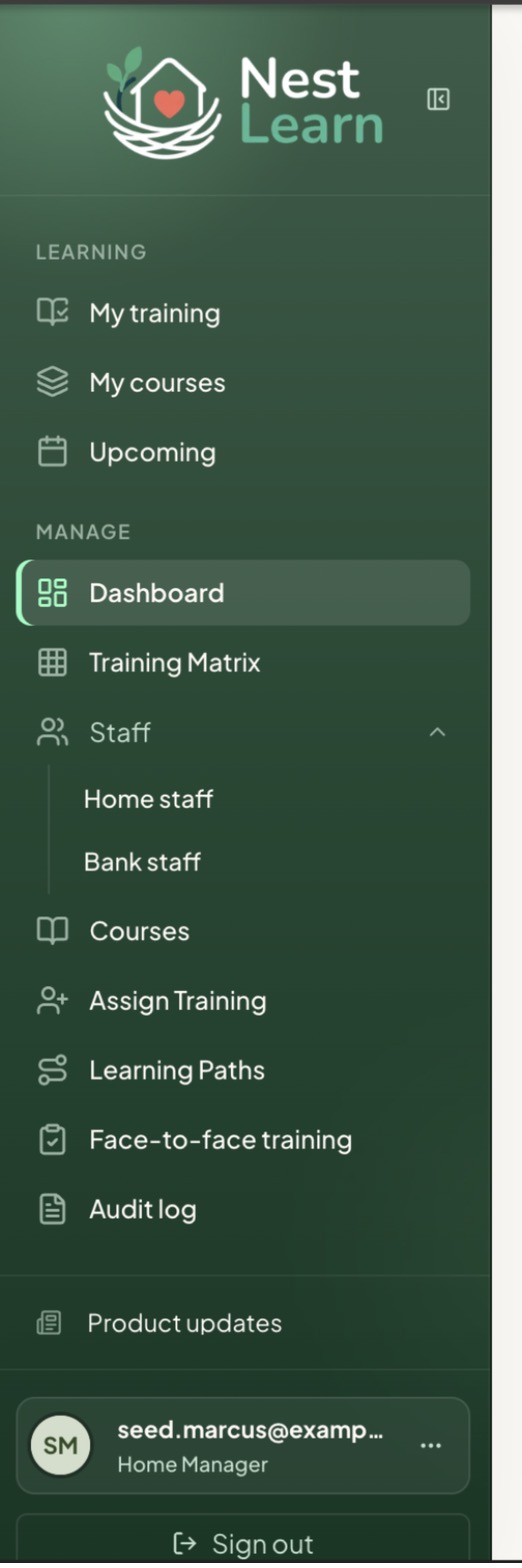
Your sidebar has a Manage section for Dashboard, Training Matrix, Staff, Courses, Assign Training, Learning Paths, Face-to-face training and Audit log.
If you have your own training profile, you'll also see Learning, with My training, My courses and Upcoming. Your training covers those pages.
This guide covers the Home Manager permission level. For organisation-wide access and settings, see Senior manager overview.
Find the Learning and Manage sections
Common questions
Find answers about missing courses, Bank Staff access and outstanding training after attendance on the relevant task pages.
Updated about 3 hours ago