

Assigning training
Assign courses and Learning Paths to the right staff and review the impact before saving.
Open Assign Training under Manage to assign a course or Learning Path. Nothing is assigned until the final confirmation.
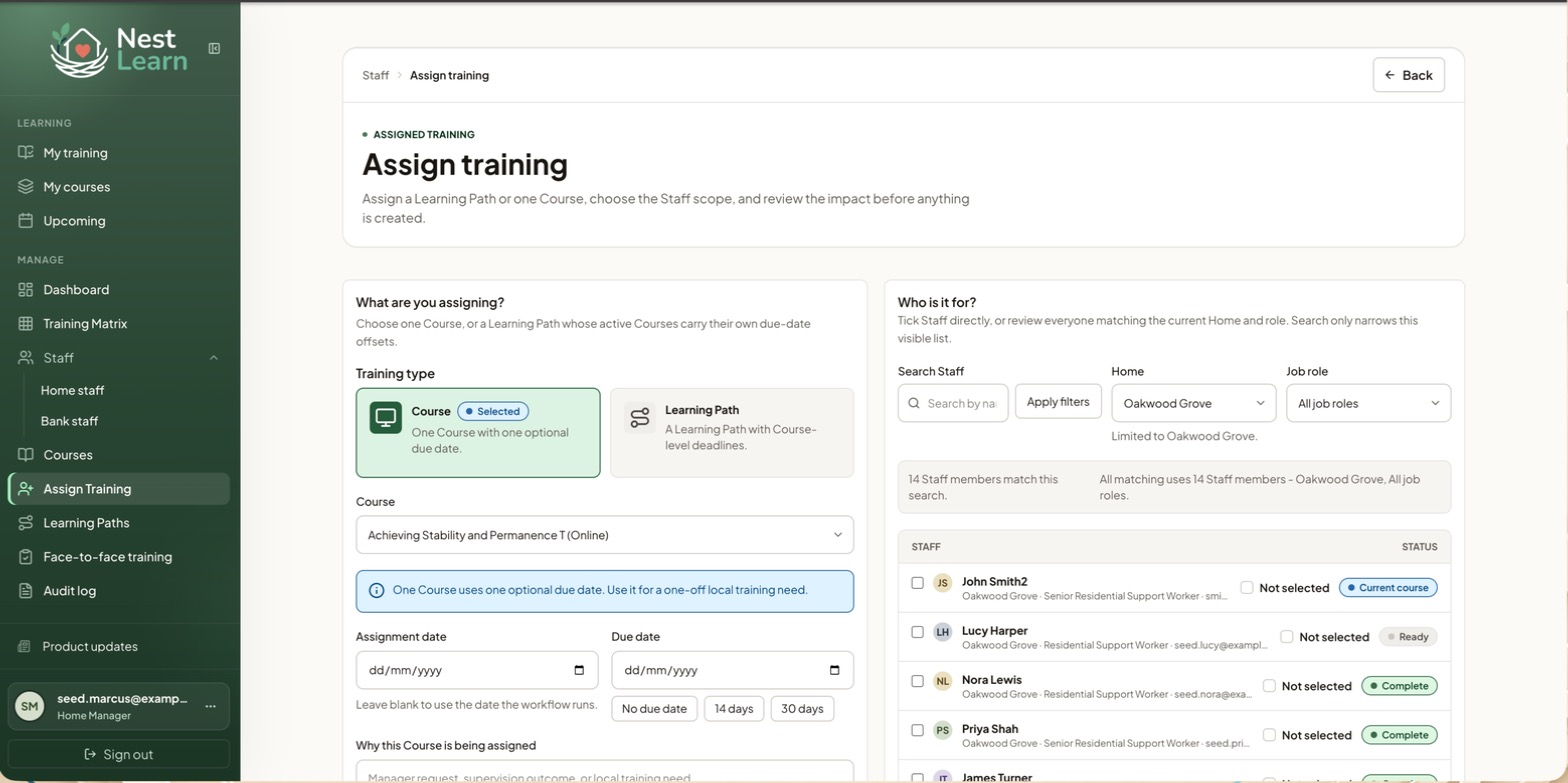
What are you assigning?
Pick the course or path and check the assignment date. Leave it blank to use the date the workflow runs.
One course with one optional due date. Use this for a one-off local training need.
Set an optional due date or use No due date, 14 days or 30 days.
A bundle whose courses carry their own due-date offsets.
Each course deadline is calculated from the assignment date and its due-date offset in the path.
Why this Course is being assigned
Assignment reasons are internalThe reason is optional and isn't visible to the staff member. Use it to record why the training is needed, for example, "agreed in supervision, 3 March". Keep it brief and avoid unnecessary personal information.
Who is it for?
Home Managers assign training to Home Staff within their assigned Homes.
Provider Senior Managers choose a Staff Category under Who is it for?:
- Home Staff: people who currently belong to a Home or location
- Bank Staff: the provider-wide bank pool, without a current Home
- Both: assign across both categories in one workflow
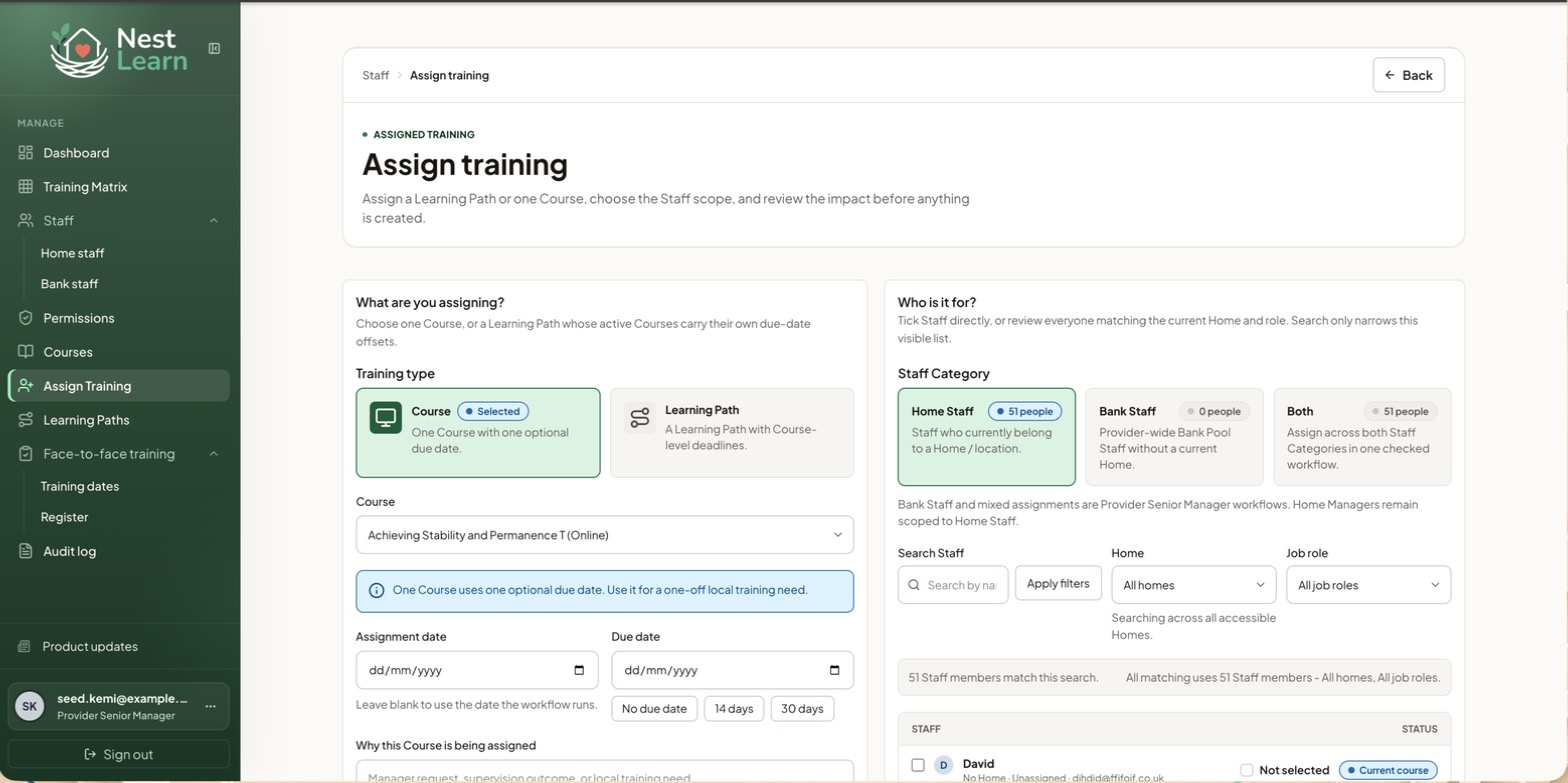
Bank Staff and mixed assignments are Provider Senior Manager workflows; Home Managers stay scoped to Home Staff. The Home filter also defaults to all Homes rather than one.
Then choose the people and confirm:
- Check the Home and job role filters, then tick the people you want to assign.
- Select Review selected Staff to review those people. Review all matching Staff includes everyone matching the Home and job role filters, including people hidden by your search.
- Check the names, person count, dates and impact summary. A valid earlier completion may already satisfy the assignment.
- Select Assign training to save.
Check everyone included in the reviewSearching only narrows the visible list. It does not change your selection or limit Review all matching Staff to the names on screen. Nothing is assigned until the final confirmation.
Learning Paths
Learning Paths are reusable bundles of courses, such as a New Starter Induction. Each course can have a deadline relative to the assignment date. The course order helps organise the path; it does not make earlier courses prerequisites.
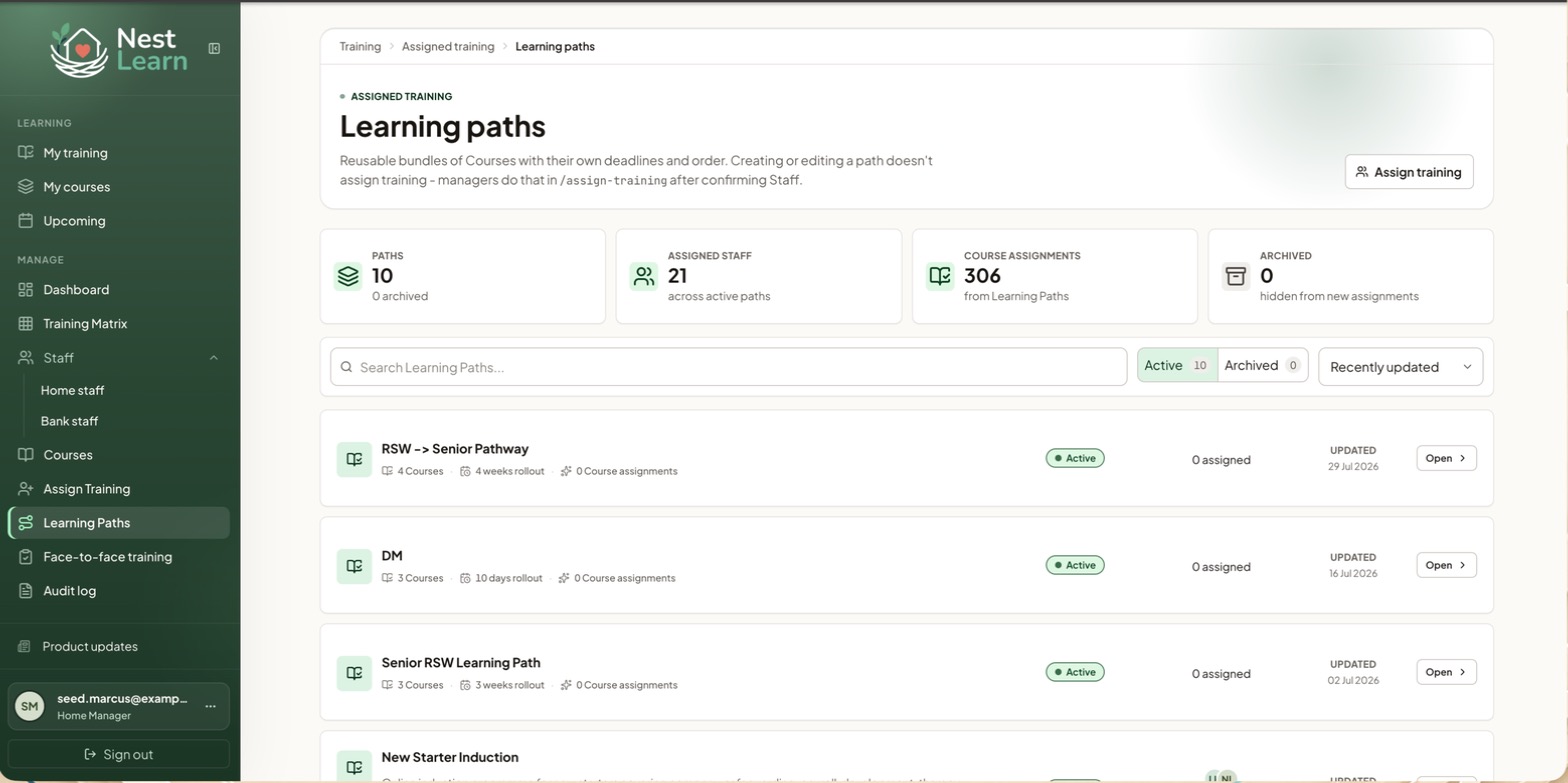
Four cards show total paths, assigned staff, course assignments coming from paths, and archived paths.
Each path lists how many courses it holds, its rollout period, and how many course assignments it's generated. Open shows the detail.
Creating a path does not assign it to staff. Use Assign Training to give it to people. When a senior manager edits an existing path, they can choose to update course assignments for its current learners. The Learning Paths guide for senior managers explains those choices.
Common questions
A Learning Path is available but nobody has it
Creating a path doesn't assign it. Go to Assign Training, choose Learning Path, and pick your staff.
Related help
Updated about 3 hours ago