

Course Library
Find online and face-to-face courses, external record types and archived items.
Open Courses under Manage to browse the Course Library. It lists online courses, face-to-face courses, external record types and archived items.
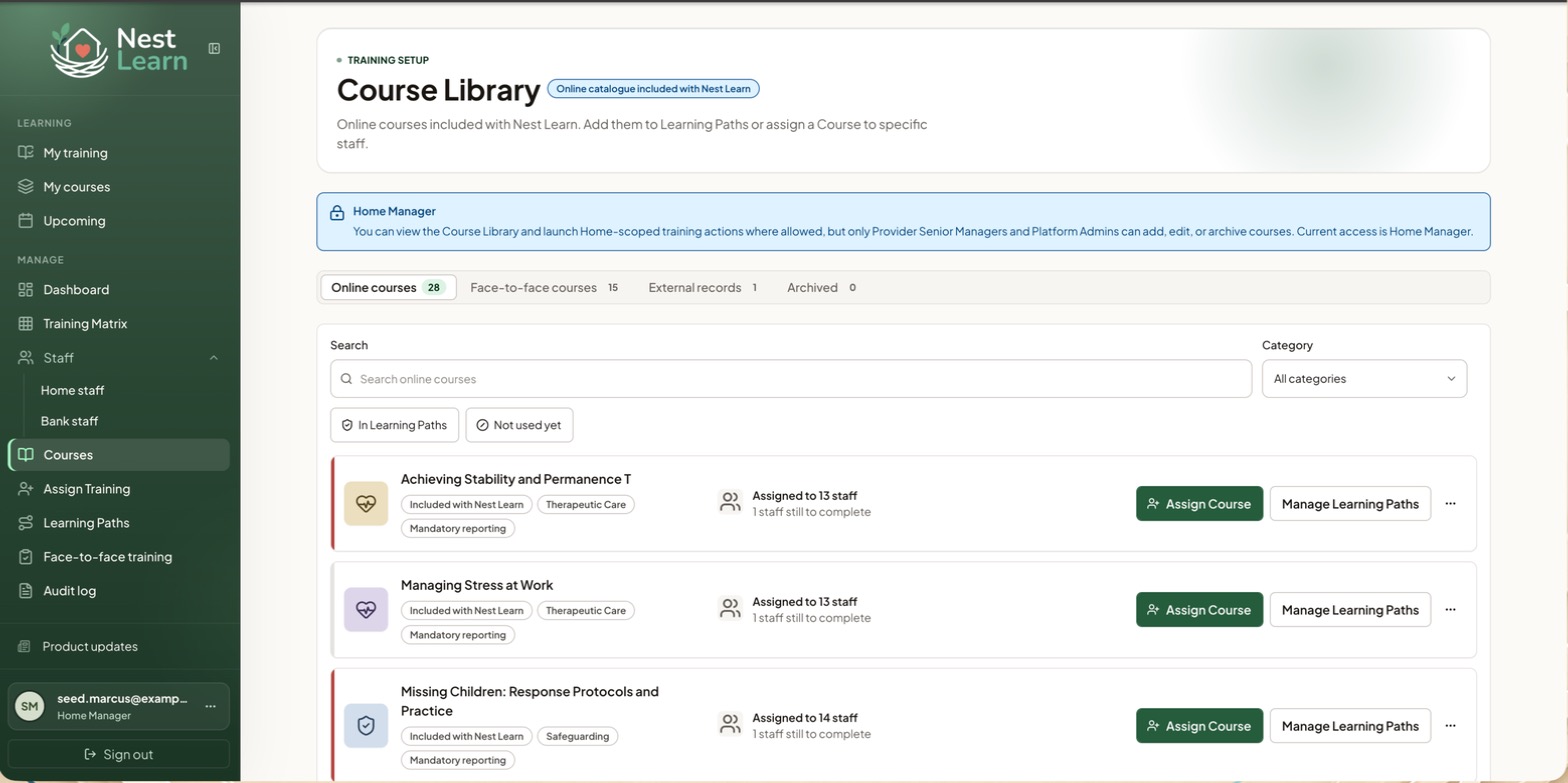
Browse the library
Four tabs: Online courses, Face-to-face courses, External records, and Archived. Search by name, filter by category, or narrow to courses already in Learning Paths or not used yet.
Assignable courses show category tags, mandatory reporting, assignment counts and outstanding training. Available actions include Assign Course and Learning Path options, depending on the item and your access. External records and archived items cannot be assigned.
Your access to the libraryYou can't add, edit or archive courses: that's a Provider Senior Manager or Platform Admin job. The banner at the top of the page states your current access level.
Common questions
A course I need isn't in the Course Library
Managers can't add courses. Ask a Provider Senior Manager or Platform Admin.
Related help
Updated about 3 hours ago